
Ark Archiving Tool
Discover how the Ark archiving tool simplifies file compression and extraction on Linux. Read our full review of this powerful KDE-developed utility.
Picture this: you are working on a major project on your Linux workstation, and a colleague sends over a massive, multi-part archive containing critical assets. Instead of wrestling with complex command-line arguments to extract the files, you need a reliable, visual tool that handles the job instantly. This is exactly where the Ark archiving tool shines, offering a seamless desktop experience for managing compressed files.
What is the Ark Archiving Tool?
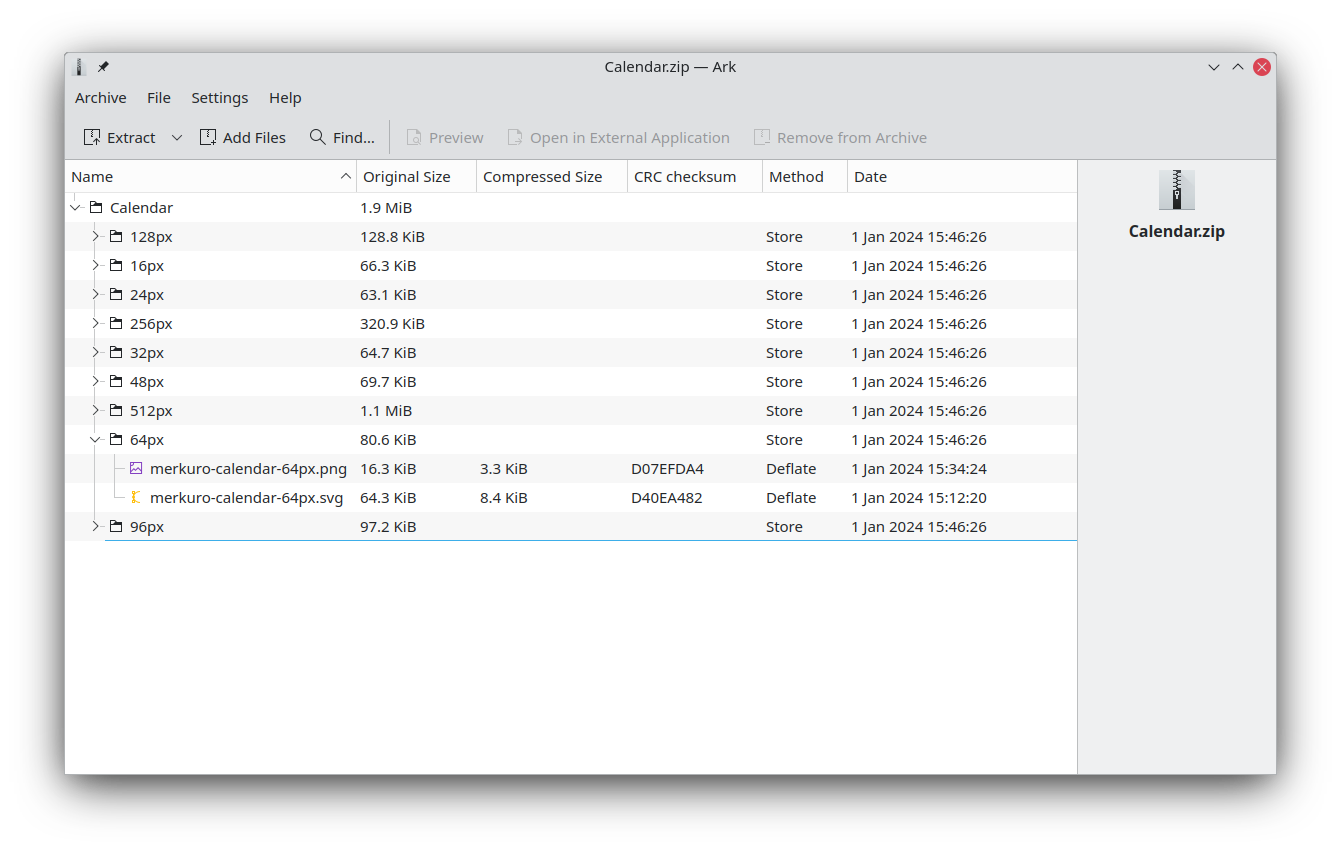
Developed by the trusted KDE community, the Ark archiving tool is a robust, graphical utility designed for the Linux platform. It serves as an intuitive interface for a wide variety of compression and decompression backends. Rather than forcing users to memorize terminal syntax, this software provides a clean, user-friendly environment to inspect, open, and build archive files on the fly.
Key Features and Core Capabilities
Whether you need to pack up documents for an email or extract a downloaded disk image, this utility provides several standout features to streamline your workflow:
- Broad Format Support: The application effortlessly handles popular formats such as zip, tar, gzip, bzip2, rar, and 7z.
- CD-ROM Image Compatibility: Beyond standard archives, it can read and navigate ISO images and other disc formats.
- Instant File Previewing: You can inspect the contents of files inside an archive without undergoing the full extraction process, saving both time and disk space.
- Archive Manipulation: Users can easily create new archives, add files to existing packages, or delete items directly from the interface.
Who is This Utility For?
The Ark archiving tool is an essential addition for Linux users who prefer a graphical interface over the command line. It is particularly well-suited for professionals, developers, and everyday users who frequently handle diverse file formats and require a dependable, lightweight system utility that integrates beautifully with their desktop environment.
Streamline Your File Management
Managing compressed files does not have to be a chore. With its clean layout and wide format compatibility, this application makes archiving tasks straightforward and stress-free. To integrate this utility into your Linux workflow, visit the official Flathub store page to learn more and get started.